
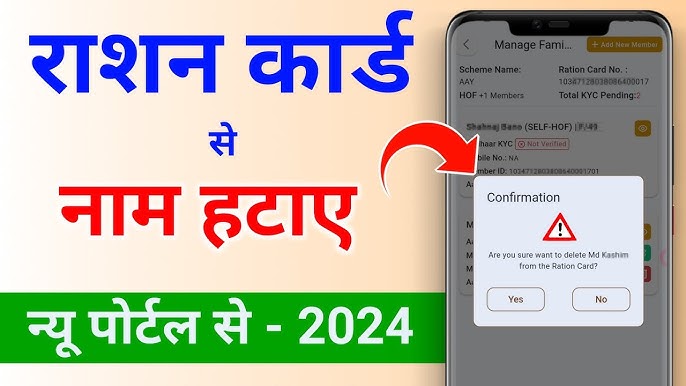
A Ration Card is a vital document in India, but keeping it updated is just as important as having one. Whether it’s due to a marriage, a move to a new city, or the passing of a loved one, removing a name ensures your records stay accurate and prevents any legal or logistical hiccups down the line.
Here is a comprehensive guide on how to delete a name from a Ration Card, both online and offline.
Common Reasons for Name Removal
Before you start the process, it helps to know which category your request falls under, as this determines the documents you’ll need:
- Marriage: When a family member (usually a daughter or daughter-in-law) moves to a new household.
- Death: Removing the name of a deceased member.
- Relocation: When a member moves to a different state or city and needs to apply for a new card there.
- Duplicate Entry: Correcting a mistake where a name was added twice.
Method 1: The Online Process (Step-by-Step)
Most states now offer digital services through their Food and Civil Supplies Department portals. While the UI varies by state, the general steps remain consistent:
- Visit the Official Portal: Go to your state’s Food & Supplies website (e.g., NFSA State Portals).
- Log In: Use your registered mobile number or Ration Card ID to sign in.
- Find the Service: Look for a section labeled “Ration Card Services” or “Citizen Services.”
- Select Member Deletion: Choose the option “Remove Name,” “Member Deletion,” or “Surrender Member.”
- Fill the Form: Select the specific family member’s name and provide the reason for removal.
- Upload Documents: Scan and upload the required proofs (e.g., Death Certificate or Marriage Certificate).
- Submit & Track: After submission, you will receive a Reference Number. Use this to track the status of your application.
Method 2: The Offline Process
If you prefer doing things in person or your state’s online portal is undergoing maintenance, you can visit a local office.
- Visit the Office: Go to your nearest District Supply Office (DSO) or Ration Office.
- Get Form 7: Ask for the “Member Deletion Form” (often referred to as Form 7 in many states).
- Attach Proofs: Hand over the completed form along with photocopies of the required documents.
- Verification: An officer will verify the details. In some cases, the head of the family or the individual being removed may need to be present (or provide an affidavit if they cannot).
- Collection: Once processed, you will be notified to collect the updated Ration Card.
Essential Documents Checklist
Keep these documents ready to ensure a smooth application:
| Reason | Required Document |
| Marriage | Marriage Certificate or Wedding Invitation |
| Death | Death Certificate |
| Relocation | Proof of New Address / Transfer Order |
| General | Copy of the current Ration Card & Aadhaar Card |
Pro-Tip: If you are removing a name because someone is moving to a new state, ask for a “Surrender Certificate.” They will need this certificate to add their name to a new Ration Card in their new location.
How Long Does It Take?
Typically, the name is removed within 3 to 15 working days, depending on the state’s efficiency and the verification required. Once the process is complete, the updated digital version of your card is usually available for download immediately.